
Web Sudoku for iPad and Android
|
Web Sudoku on iPad with iOS 13
In the initial release of iOS 13, Safari no longer informs websites that it's running on an iPad. This prevents Web Sudoku automatically showing the the iPad version. There's discussion and a fix in this forum, and we hope Apple will fix the issue soon. In the meantime, iPad users can use this URL: http://www.websudoku.com/?ipad=1
Web Sudoku is now available for iPad on the App Store.
If you prefer to play on websudoku.com, an on-screen keypad is available for the Apple iPad and Android tablets. To use the keypad, open websudoku.com in Safari or Chrome. Tap a box in the sudoku puzzle to bring up the side keypad. Tap a number in the keypad to enter it into the highlighted box. Use the blank in the keypad to empty a highlighted box.
Click 'Options...' under the puzzle and switch on pencil marking. This allows multiple numbers to be entered into a box, to indicate possible values. To remove a number from a highlighted box, tap it again on the keypad. You can also use the question mark to indicate that you are not certain about a number entered.
If you prefer to use the standard keyboard, click 'Options...' under the puzzle and disable the side keypad.
If you have any comments or suggestions on Web Sudoku for iPad or Android, please let us know. |

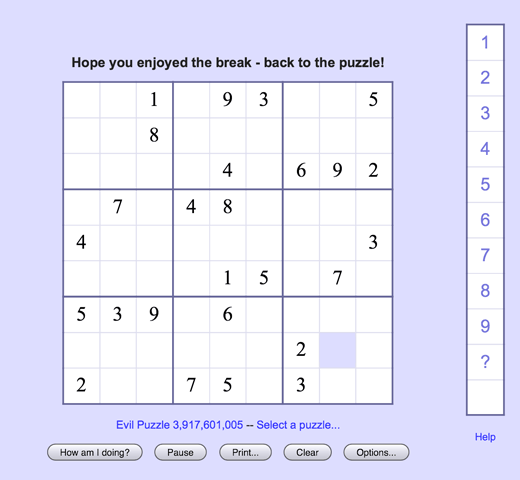 Web Sudoku online – iPad and Android keypad